Auto‑sort scheduling
Automatically assigns staff to beaches and roaming by rank and rules, then lets you fine‑tune by drag‑and‑drop.
Key rules
- Officer roaming priority (Captain → Lieutenant → Sergeant)
- Bay beaches are rookie‑only (1 per bay) with a preferred 2‑day rest rotation
- Rookies never sit alone on regular beaches; must be paired with Lifeguard+
- Load balancing: all regular beaches get 2 guards before any gets 3
- Capacity checks per beach and roaming
How it works
- Seed roaming with Captains
- Assign bay rookies (fair rotation, rest preference)
- Place preferred beaches by seniority within balance limits
- Reach minimum staffing to 2 on regular beaches
- Complete officer roaming (Lieutenant, then Sergeant)
- Distribute third guards in round‑robin with rookie checks
- Final validation: capacities and rookie‑alone prevention
Runs in the UI via the “Auto Sort” button (Schedule Generation). Save persists assignments and vehicles.
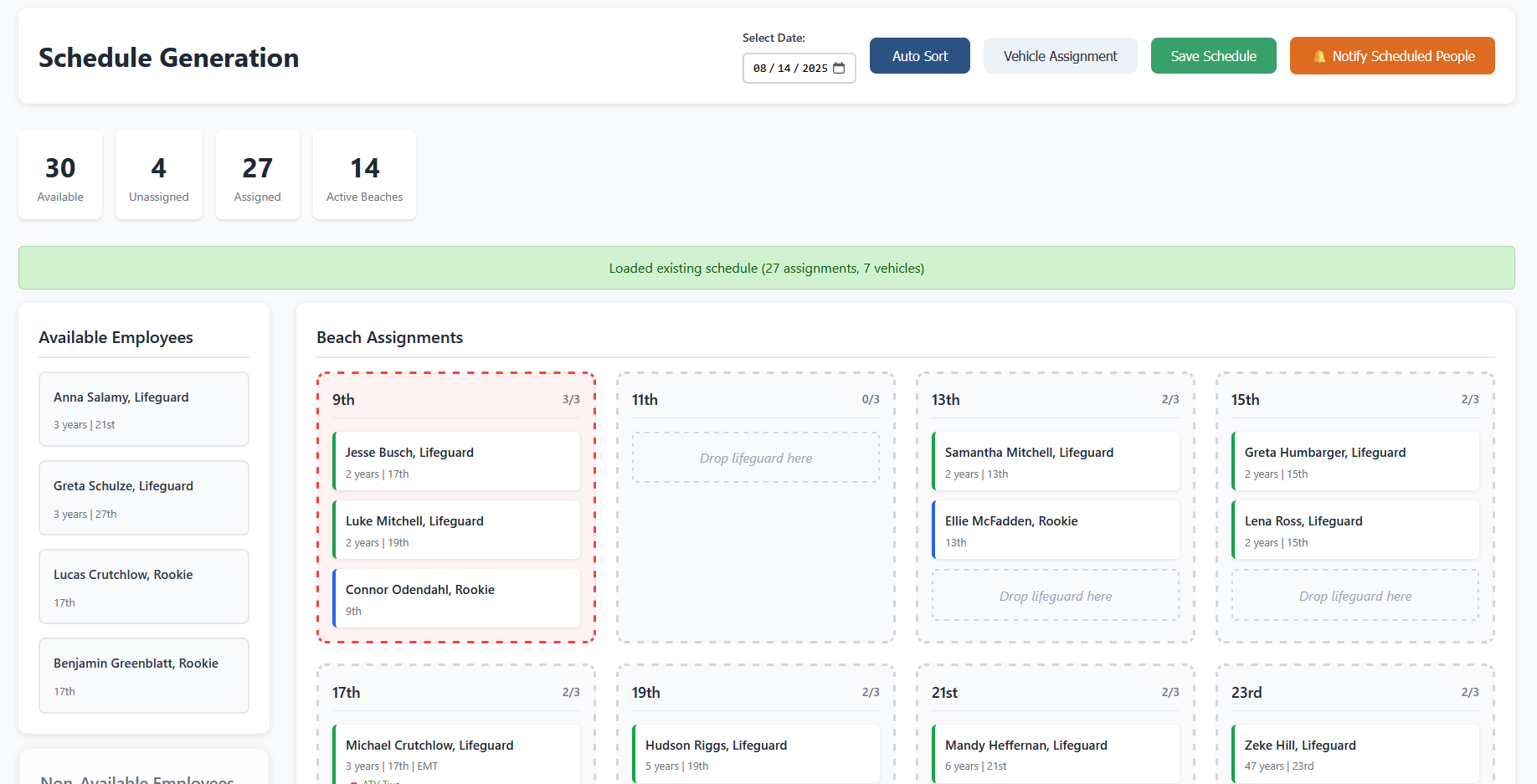
Schedule Generation with Auto Sort